Showing posts with label water. Show all posts

Tuesday, January 27, 2015

Pretty Cool Cloudy Day


Driving about today I noticed that the sky was really pretty awesome. Then I happened past a water tower and old smoke stack, and well just got inspired.


After a few there I went to HopeMills and found another water tower and another wonderful sky.


Then I happened along this Streetlamp and the clouds and sun came together just right.


I got a few more developed from today.


Tuesday, January 20, 2015

More From Charlotte


I have developed a few more of the images from Charlotte.


I really enjoyed the market area. I have to go back there it had some very interesting booths.


Here is the Studio where Sharon attended the WorkShop Wingmaker Arts Collaborative


Sunday, January 18, 2015

Back to Charlotte


Went back to Charlotte Saturday, Sharon had the second half of her watercolor workshop. So I went to another part of Charlotte, on the east side, along the "Little Sugar Creek Greenway"
There is one thing I don't understand, why are there no coffee shops open in Charlotte on Saturdays. I had to go to a Bo-Jangles while I was waiting for it to warm up a little. It did turn out to be a great day. I got quite a few pictures that turned out good. I also saw heron beside the creek, it was ok with being my model for awhile. These are the ones I have done now.


Monday, December 29, 2014

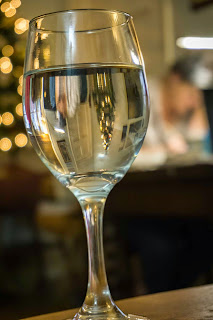
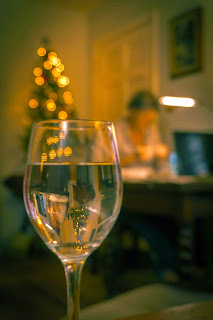
Refraction and Bokeh


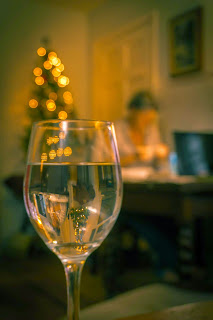
It is really a blah day outside today. Rainy and cool, and I feel every bump, bruise, tear, break and every hard landing from the last 54 years. So I stayed in and did some work with my new Sony ILCE 5100. Playing around with Light refracting through water in a glass, and the Bokeh effect I can get with different apertures. Sharon was doing some of her magic with the watercolors and made a great model for the background.
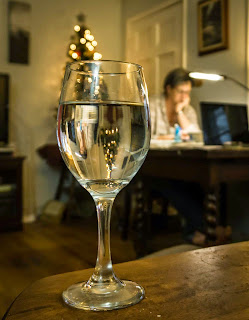

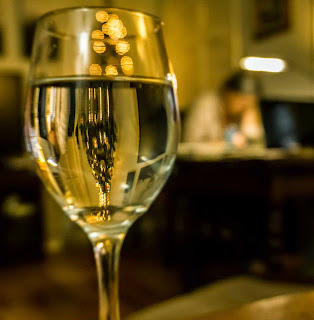
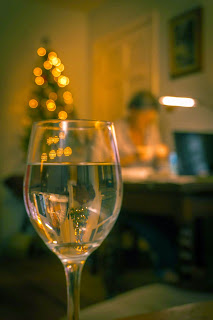
Still need to practice this, want to do this downtown in front of some of the neon signs.

Update 12/29/2014

My wife liked the third photo the best,but she thought that it would be better, or less distracting if I would tone down or remove the light by her head. Well, I tried to just tone it down using the quick mask mode in PS, but the light is too overexposed and blown out. There is just no information there to work with. So I decided to just use the spot healing brush tool and blend it out of the photo. Here is the original and the Redux: